
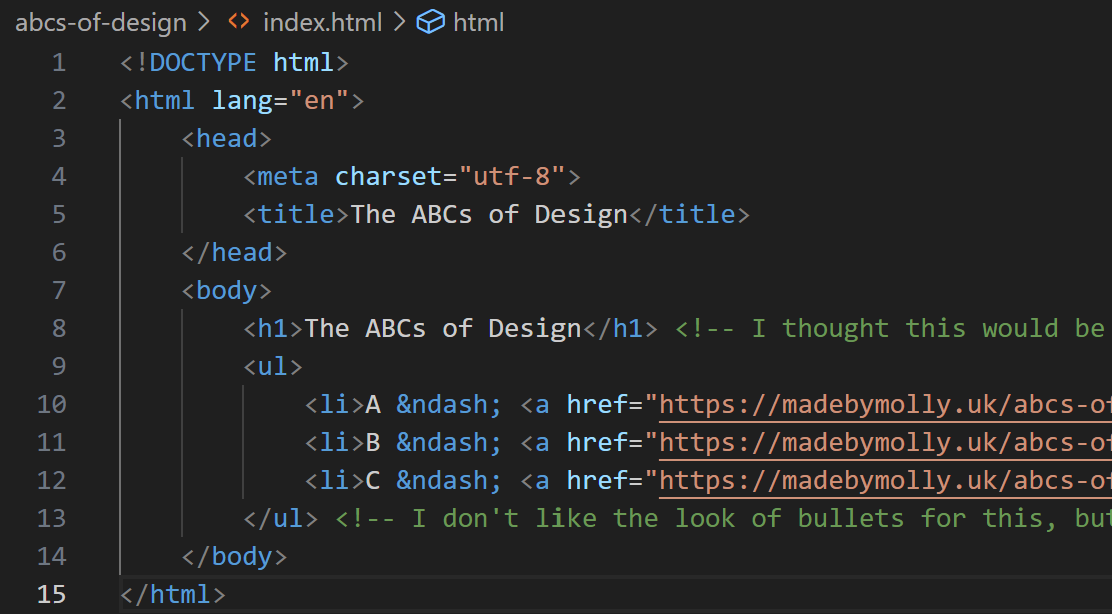
This week, I created a simple, 4-page website to display my 3 well-designed objects.
Last week, we created what David called “the content layer,” by analyzing three objects and taking photos. With the HTML, we’re adding “the structure layer,” and will eventually add “the presentation layer” with CSS.
By removing the CSS element in this project, I was forced to redirect my inherent instinct to make things look pretty towards my code instead of the end output. I experimented with unordered lists, unicodes, and hyperlinks to make my structure layer accessible, readable, and attractive without any external styling.
I look forward to next week because I don’t love the look of the bullets on my unordered list, and I want the navigation between pages to look prettier (maybe buttons or a menu?) but that will be tackled in the presentation layer.
Resources I used this week
- <img> MDN – Useful reference for formatting images in my code editor.
- David’s explainer on images – This had more context on modern formatting than MDN, such as removing the / when closing the element.
- <ul> MDN – Useful reference for formatting my three objects on my homepage.
- &what – Library of HTML codes for en dashes and other handy symbols.
Leave a Reply